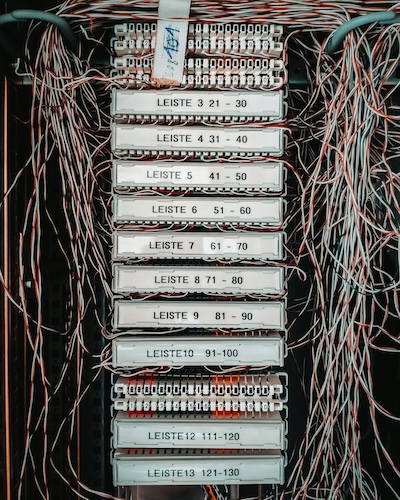
The UK’s copper telephone network — the PSTN — switches off on 31 January 2027. That’s less than twelve months away. If your business still relies on a traditional landline, you need to act now. The good news is that replacing it is far simpler, cheaper, and faster than most business owners expect.
This guide walks you through exactly what to do, step by step, so you can replace your business landline without disruption, keep your existing phone number, and come out the other side with a better phone setup than you had before — often at a fraction of the cost.
The Clock Is Ticking — And the Costs Are Rising
The PSTN switch-off isn’t a distant event any more. Openreach has confirmed that the entire copper telephone network will be decommissioned by 31 January 2027. After that date, traditional analogue phone lines simply stop working. No extensions, no exceptions.
If you’re thinking you’ll deal with it later, there’s a financial reason not to wait. Openreach is implementing aggressive price increases on legacy products throughout 2026 to push businesses off the old network:
| Date | Openreach Price Increase | Impact on Your Line Rental |
|---|---|---|
| April 2026 | 20% increase | Your monthly bill goes up significantly |
| July 2026 | 40% increase | Legacy lines become noticeably expensive |
| October 2026 | 40% increase | Costs become unsustainable for most businesses |
| January 2027 | Service ends | Your line stops working entirely |
The longer you wait, the more you pay for a service that’s about to disappear. And as the deadline approaches, porting queues will grow and providers will be stretched. Moving early means a smoother, calmer transition. For a full breakdown of the switch-off timeline and what it means, see our guide to the UK PSTN switch-off explained for small businesses.
Step 1: Audit What You Currently Have
Before you replace anything, you need to know exactly what your current phone line is doing for your business. Many business owners are surprised to discover their landline is connected to more than just a telephone.
Grab a pen and work through this checklist:
-
Phone lines How many lines do you have? Do you have a main number and additional lines? Note down every phone number associated with your business.
-
Alarm and security systems Many burglar alarms and fire alarms use the phone line to contact monitoring centres. Check with your alarm provider whether your system uses the PSTN — if it does, they’ll need to update it to a digital or mobile connection.
-
Fax machines If you still use a fax (some industries require it), you’ll need a digital fax solution or an analogue telephone adapter (ATA) to keep it working.
-
Payment terminals (EPOS) Older card machines that dial out over the phone line will stop working. Most modern terminals use broadband or mobile data, so check yours and upgrade if needed.
-
Broadband connection If your broadband runs over ADSL (through the phone line), you’ll need to switch to fibre or a separate broadband service. If you already have fibre broadband, your internet connection won’t be affected.
Write down every phone number your business uses — the main line, any additional lines, and any numbers printed on marketing materials, signage, or directory listings. You’ll want to port these to your new solution so customers can still reach you on the same numbers.
Step 2: Understand Your Replacement Options
There are four main ways to replace a traditional business landline. The right choice depends on the size of your business, your budget, and how many features you actually need.
| Option | Best For | Typical Cost | Complexity |
|---|---|---|---|
| BT Digital Voice | BT broadband customers wanting a like-for-like swap | Free migration (included with BT broadband) | Low |
| Hosted PBX / UCaaS | Medium businesses with multiple users and complex needs | £15–£30 per user/month | Medium–High |
| Virtual phone number | Sole traders and small teams wanting simplicity | From £4.95/month | Very low |
| SIP trunks | Businesses with existing PBX hardware | Varies (technical setup required) | High |
BT Digital Voice is a free migration for existing BT broadband customers. Your phone service moves from the copper line to your broadband router. It works, but it depends entirely on your broadband connection and mains power — if either goes down, so does your phone. Features are basic.
Hosted PBX and UCaaS platforms are full business phone systems delivered over the internet. They offer extensive features — extensions, call queues, video conferencing, CRM integrations — but at £15 to £30 per user per month, they’re often overkill for a sole trader or a team of two or three people. They also typically require desk phones or softphone apps and some setup time.
SIP trunks are for businesses that already have a PBX (a physical phone system in the office). They replace the copper lines feeding into the PBX with internet-based connections. If you don’t already have a PBX, this option isn’t relevant to you.
Virtual phone numbers are the simplest and most cost-effective option for the vast majority of small businesses. You get a proper local business number that forwards calls to your mobile phone. No hardware, no engineers, no office required. Plans start from £4.95 per month, and you get professional features like call forwarding, voicemail to email, and time-of-day routing included.
Not sure which option suits your business? For most sole traders, freelancers, and small teams, a virtual phone number is the fastest and most affordable path. You can always upgrade later if your needs change. Read our comparison of the benefits of virtual phone numbers for more detail.
The Simplest Path for Small Businesses
If you’re a sole trader, freelancer, or small team — and that describes the vast majority of the 500,000+ businesses that still need to migrate — a virtual phone number is almost certainly your best option. Here’s why:
-
Instant activation Choose your local number and it’s live within minutes. No waiting for engineers, no installation appointments, no hardware to set up.
-
Works on your existing phone Calls to your business number are forwarded to your mobile. You answer them on the device you already carry. No desk phone, no app required (though we do have an outbound calling app if you want to call customers back from your business number).
-
A fraction of the cost From £4.95 per month compared to £25–£40 for a traditional line or £15–£30 per user for a hosted PBX. You save money from day one.
-
No contracts No long-term commitments. Pay monthly and cancel any time. No exit fees, no penalties.
-
Keep your existing number Port your current business number to Virtually Local for free. Your customers won’t notice a thing — they’ll call the same number they always have.
A virtual number isn’t a temporary workaround — it’s a permanent, modern replacement for your landline that’s already fully compatible with the post-PSTN world. It runs over the internet, so the copper switch-off doesn’t affect it at all.
Step 3: Port Your Existing Number
The biggest concern most business owners have is losing their phone number. You’ve had it on your website, your van, your business cards, and your directory listings for years. Customers know it. Changing it would mean reprinting everything and losing the recognition you’ve built.
The good news: you don’t have to. Number porting lets you transfer your existing business number to a new provider. Your number stays the same — it just works over the internet instead of the copper network.
Request the Port
Give us your existing business phone number and we handle the rest. You don’t need to contact your old provider — we manage the entire process on your behalf.
We Process It
The port typically takes about one week to complete. During this time, your existing line continues to work as normal. There’s no gap in service.
Seamless Switchover
On the porting day, calls to your number are automatically routed through your new virtual number setup. No downtime, no missed calls, no disruption.
Virtually Local offers free number porting. There’s no charge to transfer your existing business number to us. Your customers keep calling the same number — the only thing that changes is a better, more flexible service behind it.
Step 4: Set Up Call Handling — And Gain Features You Never Had
Here’s the part most business owners don’t expect: replacing your landline actually gives you a significant upgrade. A traditional copper line could do one thing — ring a phone on a desk. A virtual number does far more.
Once your number is set up or ported, configure the features that matter to your business:
-
Call forwarding Send calls to your mobile, a colleague’s phone, or multiple numbers simultaneously. If you can’t answer, someone else can.
-
Voicemail to email Missed calls go to voicemail and the recording is emailed to you instantly. Listen on your phone, on your laptop, or on the go — no more dialling in to check messages.
-
Time-of-day routing Route calls differently during working hours, evenings, and weekends. Protect your personal time without missing genuine emergencies.
-
Personalised greetings Callers hear a professional recorded greeting with your business name. First impressions matter, and this makes your one-person business sound established.
-
Call recording Record calls for training, compliance, or dispute resolution. Useful for tradespeople confirming job details and for any business that needs a record of what was agreed.
-
Call distribution If you have a small team, route calls to the first available person. No more bottlenecks through a single phone.
-
Call history See a complete log of every call — who called, when, and whether it was answered. Access it any time through your online portal.
None of these features were possible with a standard copper landline. Replacing your old line isn’t just about keeping the phone working — it’s an opportunity to handle calls more professionally than ever before. Explore the full list of features available with a Virtually Local number.
What Equipment Do You Need?
If you choose a virtual phone number, the answer is refreshingly simple: nothing new.
| Solution | Equipment Required | Engineer Visit? |
|---|---|---|
| BT Digital Voice | BT Smart Hub router (provided by BT) | Sometimes |
| Hosted PBX | IP desk phones or softphone apps, reliable broadband | Often (for configuration) |
| SIP trunks | Existing PBX hardware, SIP-compatible gateway | Usually |
| Virtual phone number | Your existing mobile phone — nothing else | No |
With a virtual number, calls forward to the mobile you already own. There’s no hardware to buy, no software to install (unless you want the optional outbound calling app), and no engineer visit to arrange. You set everything up online through your Virtually Local dashboard in minutes.
If you currently have a desk phone plugged into your landline socket, you can simply unplug it once your number has been ported. All your calls will come through to your mobile instead. If you later decide you want a desk phone, VoIP phones that work over your broadband are available from around £50.
The Real Cost Comparison
One of the biggest surprises for business owners making this switch is how much money they save. Traditional landlines have always been expensive for what they deliver. Here’s how the numbers stack up:
| Solution | Monthly Cost | Annual Cost | Features Included |
|---|---|---|---|
| Traditional BT landline | £25–£40/month | £300–£480/year | Basic calls only |
| Hosted PBX | £15–£30/user/month | £180–£360/user/year | Extensive (often more than you need) |
| Virtual phone number | From £4.95/month | From £59.40/year | Forwarding, voicemail, routing, recording & more |
Switching from a traditional landline at £30 per month to a virtual number at £4.95 saves you over £300 a year — and you get a more flexible, feature-rich service. Factor in the Openreach price hikes coming in April, July, and October 2026, and staying on a copper line becomes even more expensive.
Step 5: Update Everything — Your Complete Checklist
Once your number is ported and your call handling is configured, make sure your new setup is reflected everywhere your business appears. If you’ve ported your existing number, most of this is already done — but it’s worth checking.
Google Business Profile
Verify your phone number is correct on your Google Business Profile. If you’ve ported your number, it’s already right. If you’ve taken a new number, update it immediately — this is often the first place customers find you.
Website and Email Signatures
Update your website header, footer, contact page, and email signature with your business number. Again, if you ported your number, nothing needs to change.
Directory Listings
Check your listings on Yell, Thomson Local, Checkatrade, Bark, MyBuilder, TrustATrader, and any other directories you use. Make sure each one shows the correct number.
Printed Materials
Business cards, leaflets, van signage, and any printed marketing materials. If you’ve kept the same number through porting, you won’t need to reprint anything.
Notify Key Contacts
Let your accountant, bank, insurance provider, suppliers, and regular customers know if your number has changed. A quick email or text is all it takes.
Porting your existing number avoids almost all of this work. Your customers, directories, and marketing materials already have the right number — it just works through a new, better system behind the scenes. Port your number for free with Virtually Local.
The Bottom Line
The PSTN switch-off is happening on 31 January 2027. It’s not a rumour, it’s not being delayed, and it affects every business still on a traditional landline. With Openreach price hikes already starting in April 2026, staying on the copper network is costing you more every month for a service that’s about to disappear.
The replacement process is genuinely straightforward. For most small businesses, it takes less than a day from start to finish:
Audit
Check what your current line is connected to — phones, alarms, broadband, payment terminals.
Choose
For most small businesses, a virtual phone number is the simplest, cheapest, and most flexible replacement.
Port
Transfer your existing number — free with Virtually Local, completed in about a week, no downtime.
Configure
Set up call forwarding, voicemail, routing, and greetings. Takes minutes, not hours.
Update
Check your listings and marketing materials — if you ported your number, most of this is already done.
You’ll end up with a better phone setup than you had before, with professional features that a copper landline could never offer, at a fraction of the cost. Plans start from just £4.95 per month with no contract.
Don’t wait for the deadline or the price hikes. Replace your business landline today with a virtual phone number from Virtually Local. Plans from £4.95 per month, free number porting, and instant activation. Learn more about the PSTN switch-off or request a callback and we’ll walk you through the process.
Ready to Get Your Local Business Number?
Choose from hundreds of UK area codes and start receiving calls in minutes.
Browse Area Codes