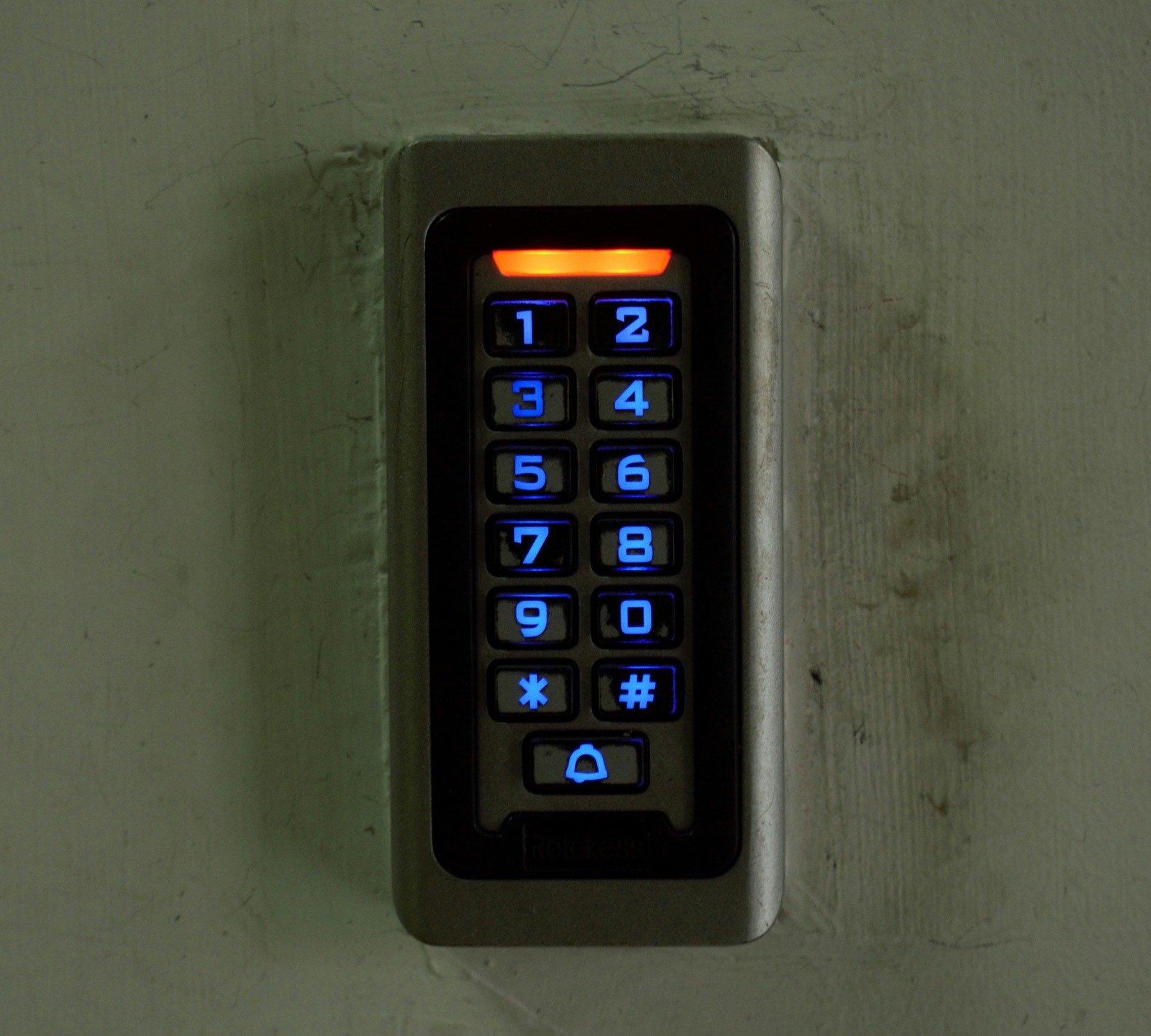
When people talk about the PSTN switch-off, they usually mean the phone on the desk. But for many businesses, the real risk is everything else plugged into a phone line — intruder and fire alarms, card machines, lift emergency phones, door entry, CCTV, and franking machines. If any of these still rely on copper when the network retires on 31 January 2027, they may simply stop doing their job.
This guide walks through each type of PSTN-dependent device, what can go wrong, and what to do about it — plus how to make sure your business phone number moves across safely at the same time.
Why Connected Devices Are the Hidden Risk
Your phone provider knows which lines you rent. What it doesn’t know is what’s plugged into them. As government guidance puts it, communications providers “will not know which devices are connected to their network”[4] — so the job of finding them falls to you.
That matters because a device can look perfectly normal day to day while quietly depending on a copper line to send an alert. Openreach’s guide for facilities managers lists lifts, intruder and fire alarms, door entry, CCTV, payment terminals, franking machines, and building management systems among the equipment that may still rely on the old network[1].
Openreach’s figures show the remaining migrations are the hardest: standard business phone lines are straightforward to move, but legacy circuits connected to specialist equipment need investigation, testing, and sometimes replacement hardware[3].
Intruder and Fire Alarms
According to Openreach, “most security panels use analogue signalling via copper lines” to send break-in alerts to a remote monitoring centre, and fire panels “also often use standard phone lines reliant on copper”[1]. If that line disappears, a monitored fire alarm can lose its signalling path — and Openreach warns that in that case “the system becomes non-compliant”[1].
What to do
- Ask your alarm company whether your panel signals over a phone line, and to which monitoring centre.
- If it does, ask for an upgrade to an IP or mobile (4G) communicator — ideally a dual-path unit that uses both, so one route can fail without losing the alarm.
- Check your insurance: some policies require a monitored alarm, so a silent failure could affect a claim.
- Get written confirmation once the upgrade is tested end to end with the monitoring centre.
If you’re an installer helping customers through this, see how a local business number for alarm installers can help you handle the extra enquiries.
Card Payment Terminals
Most modern card machines connect over Wi-Fi, broadband, or a mobile signal. But Openreach notes that older dial-up card readers, “commonly used in retail”, may still process transactions over copper phone lines[1]. If yours is one of them, it may stop authorising payments when the line goes.
What to do
- Check the back of each terminal: a phone cable running to a wall socket is a warning sign.
- Ask your payment provider whether your model supports IP or 4G connections — some need only a configuration change, others need replacing.
- Keep a back-up way to take payment (for example, a mobile terminal or payment links) in case of problems during the switchover.
Lift Emergency Phones
Passenger lifts need “a 24/7 monitored two-way comms system” for emergencies, and many lift auto-diallers still use a copper line to reach the monitoring centre[1]. Openreach data from early 2026 showed more than 12,000 lift lines still needed upgrading[2].
Government guidance warns that the migration may cause lift alarms to stop working, and that lift maintenance companies, lift owners, and communications providers each have a part to play[5]. In practice, that means you shouldn’t assume your lift contractor has it covered.
What to do
- Ask your lift maintenance company in writing whether each lift’s emergency phone uses a PSTN line.
- Agree who is responsible for the upgrade, the cost, and the date.
- After the change, test the lift alarm call all the way through to the monitoring centre.
Door Entry and CCTV
Openreach says older door entry keypads and visitor barriers “may also rely on copper telephone lines”, and that security camera set-ups “often use dial-up modems reliant on copper lines” to send alerts or footage off-site[1]. Around 500 lines serving CCTV networks still needed upgrading in early 2026[2].
| Device | Warning sign | Typical replacement |
|---|---|---|
| Door entry / intercom | Entry panel rings a landline or connects via a phone socket | SIP (IP) or 4G door entry that rings a mobile or app |
| Visitor barriers | Barrier intercom wired to a phone line | IP or GSM intercom module |
| CCTV remote monitoring | Recorder connected to a modem or phone socket | Broadband or 4G connection to the monitoring service |
Franking Machines, Fax, and Building Systems
Some of the least obvious devices are also the easiest to forget:
-
Franking machines Openreach notes these “often connect via an analogue line to download postage updates”[1]. Ask your franking supplier whether your model can connect over broadband instead.
-
Fax machines Fax over a digital line can be unreliable. Most businesses switch to email or an online fax service.
-
Heating, boilers, and telemetry Older HVAC, boiler, and environmental control systems that call engineers when there’s a fault — and water, gas, electric, or fuel tank telemetry — may rely on copper too[1].
-
ISDN phone systems Openreach is clear that services on ISDN must move to IP by January 2027, “or your service will be ceased”[6].
Power Cuts and Back-Up
An old analogue line carried its own power, so a basic phone or alarm dialler kept working in a power cut. Digital lines don’t, which means devices may need their own battery or network back-up[4]. For managed premises, Openreach suggests battery back-up units for routers “rated for at least one to four hours of continuous operation”[1].
A virtual number that forwards to your mobile doesn’t depend on power or broadband at your premises. If the lights go out, your customers can still reach you — as long as your mobile has signal and charge.
Review, Test, Switch
Openreach’s recommended approach for connected equipment is three simple steps[1][2]:
Review
List every device that uses a phone line and trace where each one connects. Confirm the status of each line with your provider rather than assuming it has been done.
Test
Check each device works on a digital connection before the line is switched. Openreach offers free testing at its labs if you’re unsure[2].
Switch
Move each service once compatibility is confirmed, well before 31 January 2027, and schedule changes for quiet periods.
Lines that miss the deadline may end up on Openreach’s temporary EVAc service, which is intended for essential voice calls and is limited and costly[7] — it isn’t designed to keep alarms or card machines working. For a week-by-week plan, use our PSTN switch-off checklist.
Don’t Forget Your Phone Number
While you’re sorting out alarms and card machines, make sure the number your customers ring moves too. It’s often on the same copper line as everything else.
The simplest option for most small businesses is to port the number to a virtual service. With Virtually Local, porting is free, most ports complete within around a week, and calls can forward to any UK mobile or landline — with voicemail to email and opening-hours routing included. Because a virtual number isn’t tied to a copper line, the switch-off doesn’t affect it.
The Bottom Line
The PSTN switch-off isn’t just about phones. Alarms, card machines, lift phones, door entry, CCTV, franking machines, and building systems may all rely on the copper network. Find every one, ask the supplier about a digital replacement, test it, and switch — and move your phone number at the same time.
Virtually Local virtual numbers start from £4.95 per month, need no hardware, and are unaffected by the switch-off. Port your existing number for free or visit our PSTN switch-off page to find out more.
Sources
- Openreach, 2026. PSTN Switch Off guide for facilities managers.
- Openreach, 5 February 2026. Time for a “big switch-up” as PSTN switch-off looms.
- ISPreview UK, 30 October 2026. Openreach warn 1 million analogue UK phone lines yet to make digital switch.
- GOV.UK (Department for Science, Innovation and Technology), last updated 28 February 2024. UK transition from analogue to digital landlines.
- GOV.UK (Department for Science, Innovation and Technology). UK transition from analogue to digital landlines: guidance for local authorities.
- Openreach. Switching your business to digital.
- Openreach, 24 September 2026. Openreach to protect broadband connections as PSTN closure approaches.
Frequently Asked Questions
Will my burglar alarm work after the PSTN switch-off?
Not if it signals over a copper phone line and hasn’t been upgraded. Ask your alarm company whether your panel uses the phone line and request an IP or 4G (ideally dual-path) communicator, then test it with the monitoring centre.
Will my card machine stop working in 2027?
Older dial-up card machines that connect through a phone socket may stop authorising payments. Most modern terminals use Wi-Fi, broadband or mobile data. Check with your payment provider.
Who is responsible for upgrading a lift emergency phone?
Government guidance says lift owners, lift maintenance companies and communications providers each have a part to play. Agree responsibility, cost and timing with your lift contractor in writing.
Do digital phone lines work in a power cut?
Not without back-up power. Digital lines rely on mains-powered equipment, so devices may need their own battery or mobile back-up. A virtual number forwarding to your mobile keeps working if your mobile has signal and charge.
Can Openreach test my equipment before the switch?
Yes. Openreach offers free compatibility testing at its test labs for equipment that currently uses a PSTN line.
Ready to Get Your Local Business Number?
Choose from hundreds of UK area codes and start receiving calls in minutes.
Browse Area Codes